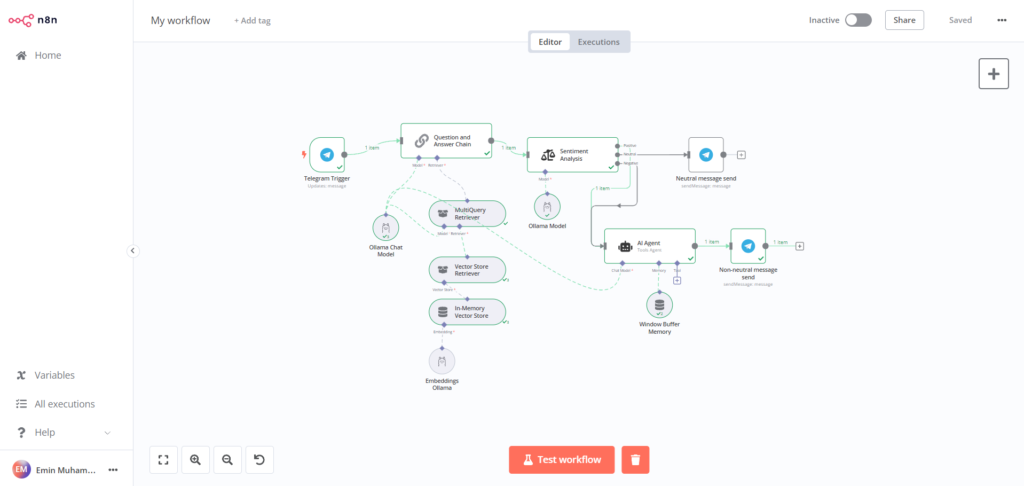
In this complete guide you’ll build a Telegram chatbot powered by AI, step by step. By the end, you’ll have a bot that chats with you on Telegram, remembers the conversation, and answers using a language model. No coding needed.
WHAT YOU NEED
An n8n instance (cloud or self-hosted), the Telegram app, and an OpenAI API key (from platform.openai.com). A model like gpt-4o-mini keeps costs to a few cents per conversation.
STEP 1 — CREATE YOUR TELEGRAM BOT
Open Telegram and chat with @BotFather. Send /newbot, give your bot a name and a username, and BotFather will reply with an API token. Copy it — you’ll need it in the next step.
STEP 2 — ADD THE TELEGRAM TRIGGER
In n8n, create a new workflow named ‘Telegram AI Chatbot’. Add a Telegram Trigger node, set Updates to ‘message’, and create new Telegram credentials by pasting your BotFather token. Click Execute and send any message to your bot — the trigger should capture it.
STEP 3 — ADD THE AI AGENT
Add an AI Agent node after the trigger. In the agent’s prompt (system message), define its role, for example: ‘You are a helpful, friendly assistant. Answer clearly and briefly.’ Connect the incoming Telegram message text as the agent’s chat input.
STEP 4 — CONNECT A CHAT MODEL
Attach an OpenAI Chat Model node to the agent’s Model input. Create OpenAI credentials with your API key and select gpt-4o-mini. This is the brain that writes the replies.
STEP 5 — GIVE IT MEMORY
Attach a Window Buffer Memory node to the agent’s Memory input and set the context window to about 10 messages. Without memory, the bot forgets everything after each message — with it, real conversations become possible.
STEP 6 — SEND THE REPLY BACK TO TELEGRAM
Add a Telegram node after the AI Agent, set its operation to Send Message, and use the same bot credentials. Set Chat ID to the incoming message’s chat ID (via expression) and Text to the AI agent’s output. This delivers the answer back to the user.
STEP 7 — TEST AND ACTIVATE
Chat with your bot on Telegram. Check that it replies sensibly and remembers context. Fix anything odd, then flip the workflow to Active. Note: for Telegram to reach n8n while active, your n8n instance must be reachable from the internet (n8n Cloud handles this automatically).
TIPS FOR A GREAT BOT
Keep the system prompt focused — a bot with a clear role gives better answers. Set a max-iterations limit on the agent so one message can’t loop forever. And always test with a private bot before sharing it with anyone.
KEEP LEARNING
Want to go deeper? These resources will help:
Complete video tutorial: How to Build a Telegram AI Chatbot with n8n — full setup walkthrough